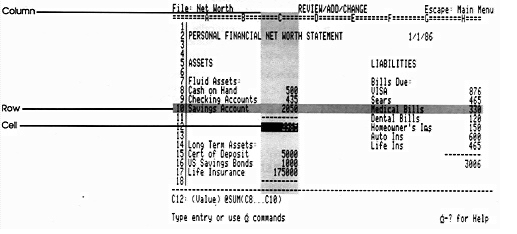
With an electronic spreadsheet, you still have "fill in the assets and liabilities, but you can write formulas that define the relationships between the various cells. Instead of just adding up the numbers in cells C5, C6, and C7, and putting that total in C9, you define cell C9 as the sum of C5 + C6 + C7. Once you've defined the relationships between your numbers in this way, you can change a few numbers (to try out a potential investment or a change in salary) and the application will recalculate all the related values for you. | ||
| |
Figure 5-6 | ||
In the hands of a numbers person, accustomed to formulas for figuring out depreciation, amortization, and such, a spreadsheet is a formidable tool. For the average person, it's just formidable. So, for the average person, intimidated at the thought of setting up formulas on a blank spreadsheet, there are templates—prefab spreadsheets that come with the formulas already filled in for things like comparing real estate investments, preparing a home budget, and comparing loan options. | ||
 |  | |||
74 | Chapter 5: Application Programs | ||